Issue#
Upon opening the advanced find view from within the lookup dropdown menu of a multi-table column, you might face the following issues:
- Data loading is very slow
- Switching to other table views shows the same data as the initial table
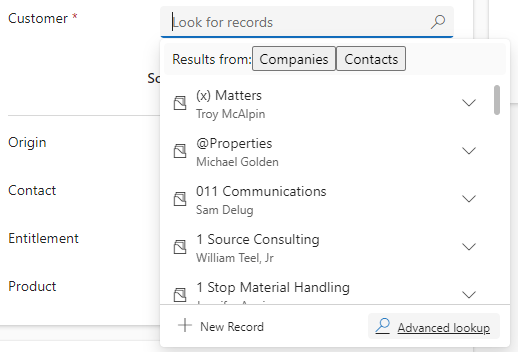
For example, for a ‘customer’ lookup, the accounts view will be displayed first, its data will be loaded, and then when switching to the contacts view, the same data of the accounts will still be displayed.
Investigation#
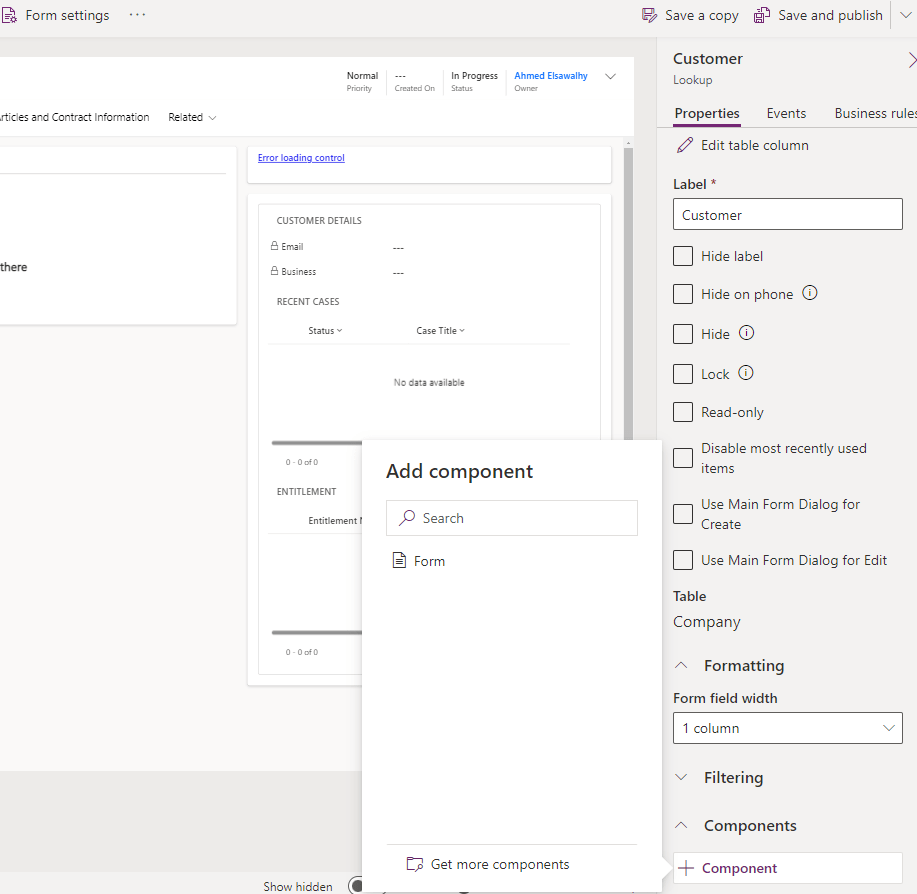
I rebuilt the form multiple times from scratch, and then a pattern emerged. When I drag an ’embedded form’ control onto the form and relate it to the faulty lookup, this behaviour occurs.
Solution#
As a practical workaround, consider the following steps until a permanent fix is provided by Microsoft:
- Instead of dragging an embedded form control onto the form
- Drag the concerned lookup onto the form first
- Convert it to a ‘form’ control
- Relate it to other forms as you would have previously